Getting started
Finding your way
One search box, one inbox and a handful of shortcuts work the same way in every product.
Search everything
Choose the search box in the top bar, or press Ctrl K (⌘ K on a Mac). It finds pages by their words, issues by key or title, and people, and it doubles as a command palette:
- Type a few words to find a page or issue, then ↵ to open it.
- Type a command such as "new page", "new project", "invite" or "dark mode".
- Choose Search issues with a query to search every project with a query (see Queries).
- In Agents, type a screen's name ("runs", "triggers") or a workflow's name to jump there.
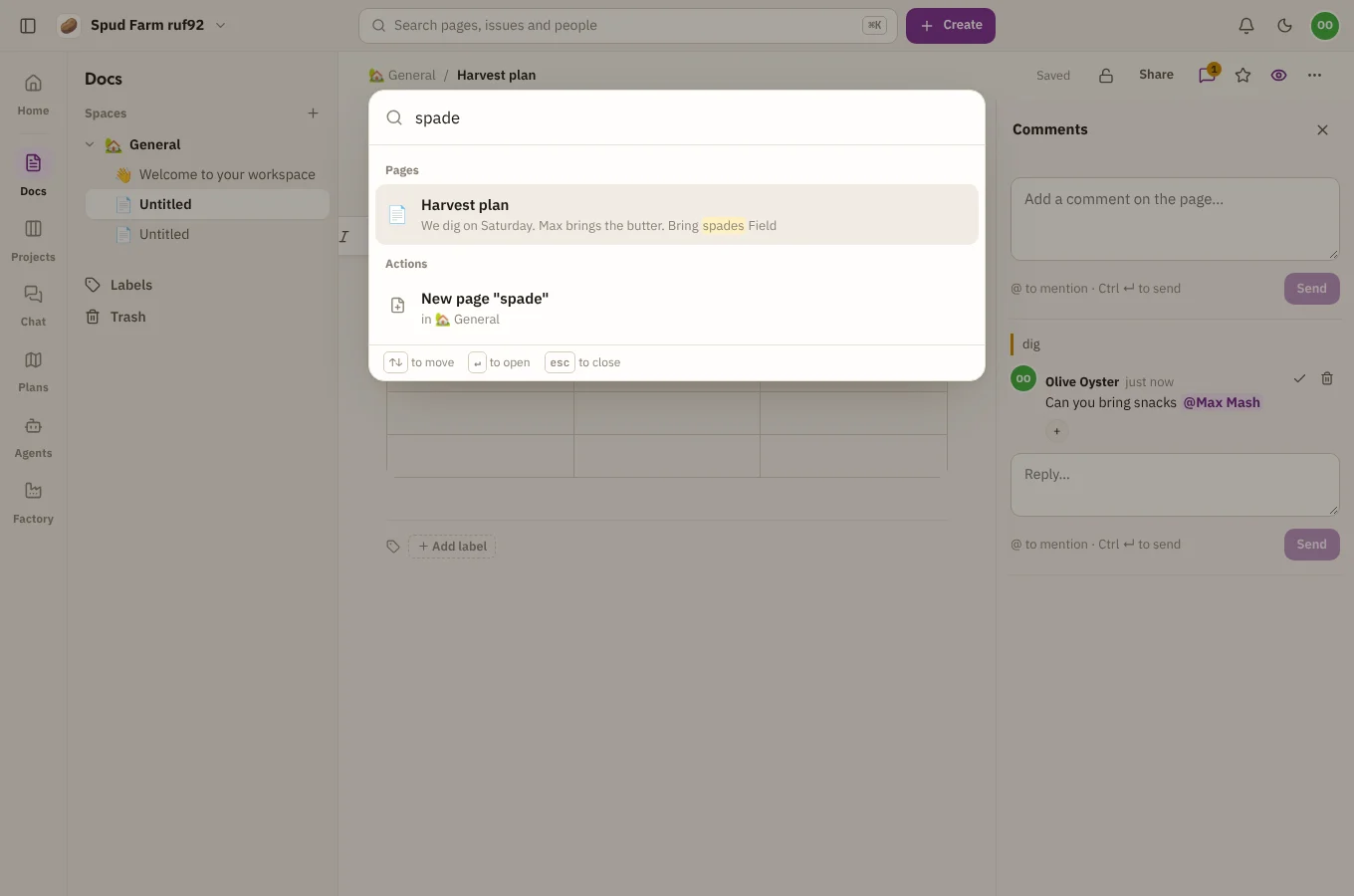
Use ↑ and ↓ to move, ↵ to open and Esc to close.
The inbox
The bell in the top bar is your inbox. It collects what needs you, from every product:
- @mentions in pages, comments, issues and chat;
- comments on pages you wrote or watch, and changes to spaces you watch;
- issues assigned to you, and comments on issues you watch;
- notices from automation rules.
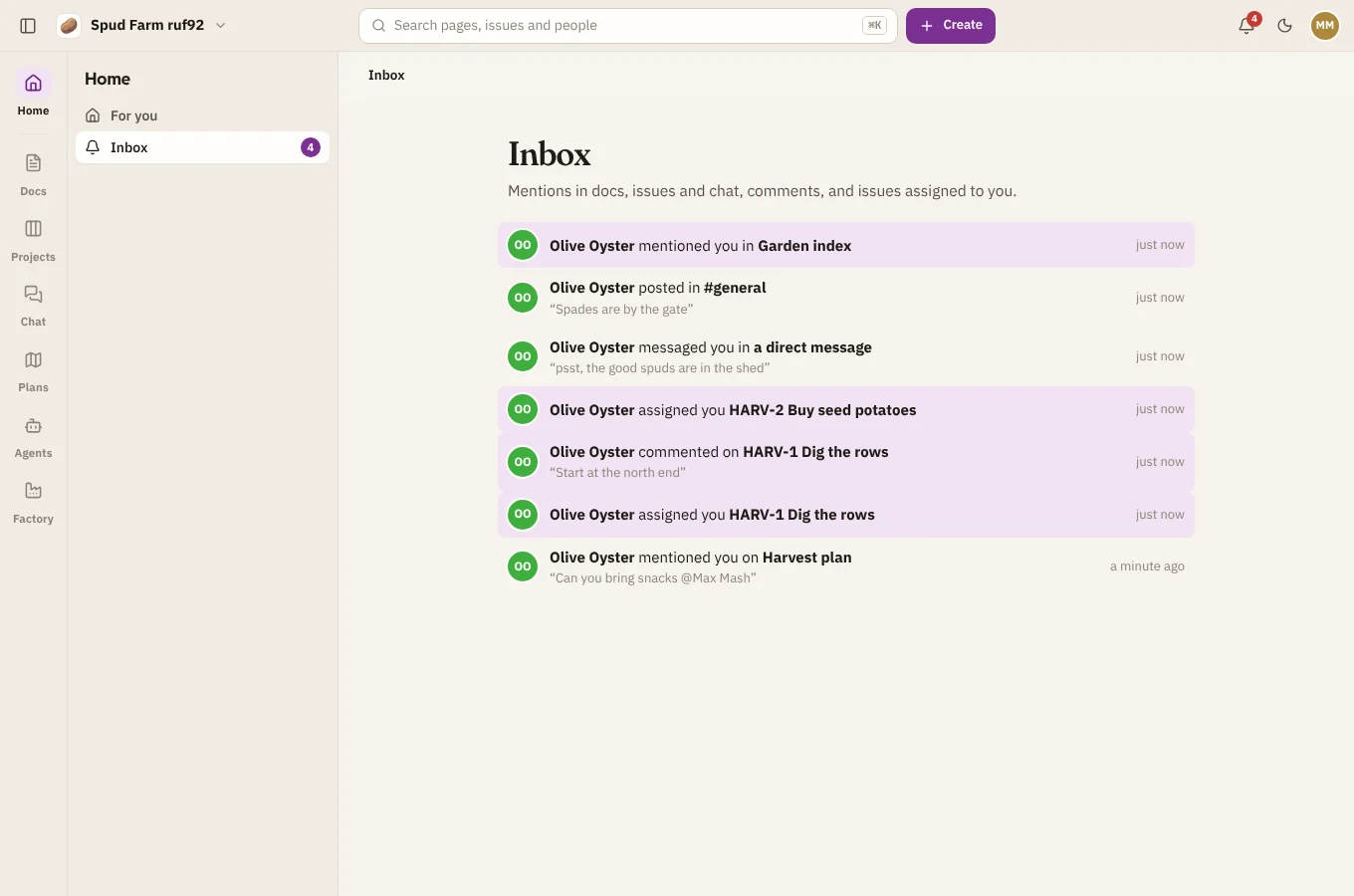
A number on the bell shows how many are unread.
Home
Home at the top of the rail shows what's on your plate (issues assigned to you), recent activity across the workspace, and the pages you've been in. New page and Start from a template get you writing straight away.
Create
The Create button in the top bar makes a page, an issue, a channel or message, a project or a space, wherever you are.
Keyboard shortcuts
| Keys | What they do |
|---|---|
| Ctrl K | Search and commands |
| Ctrl \ | Show or hide the sidebar |
| / | In a page: the block menu. In a project: filter issues. |
| ? | In a project: list its keyboard shortcuts |
| Ctrl J | In Agents: open the assistant |
On a Mac, use ⌘ wherever this says Ctrl. Projects has more shortcuts of its own: see Boards.
On a phone
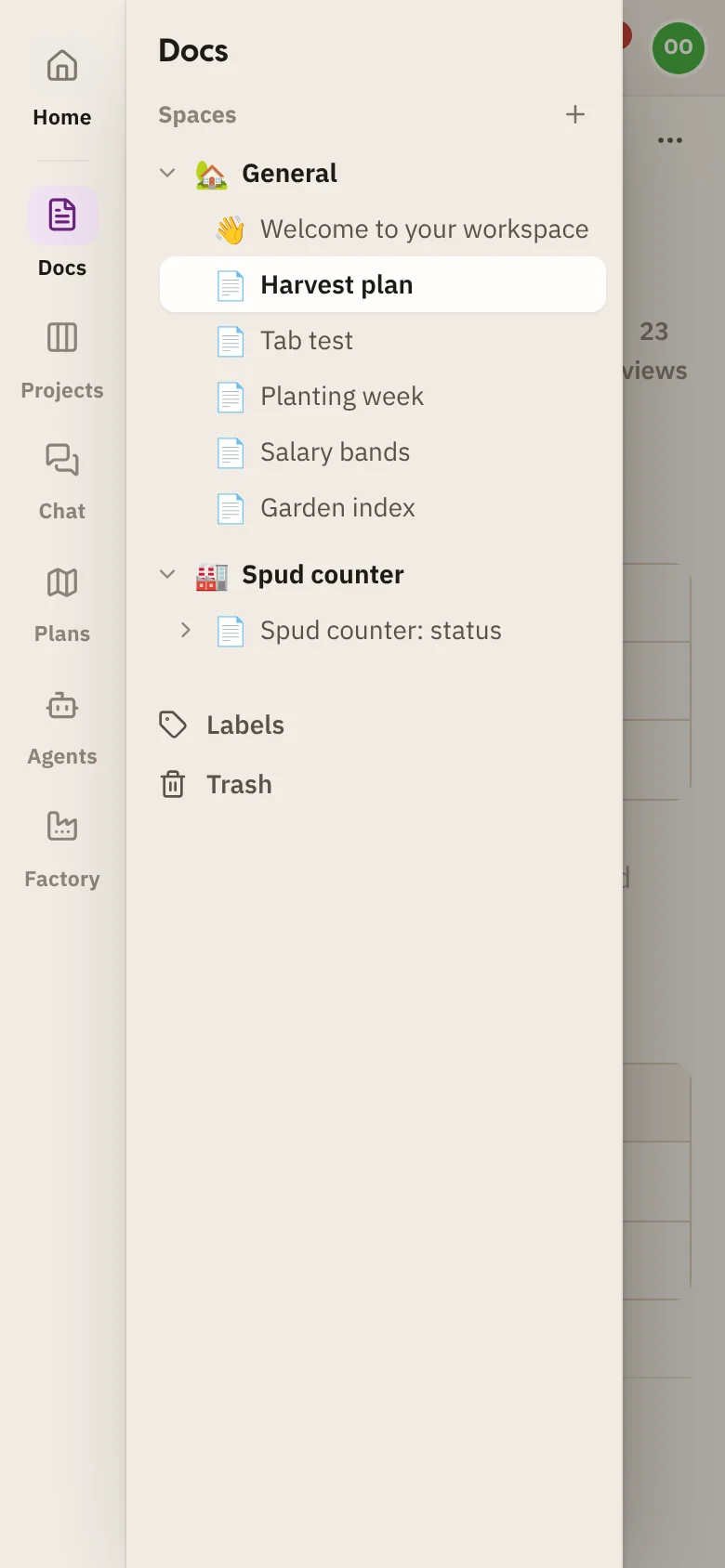
SpudSuite works in your phone's browser. The rail and sidebar fold into a menu: tap the menu button at the top left to open it, and pick where to go.
Getting help
Choose ? in the top bar to open the help page for the screen you're on. On this help site, press / to search.