Plans
Roadmaps
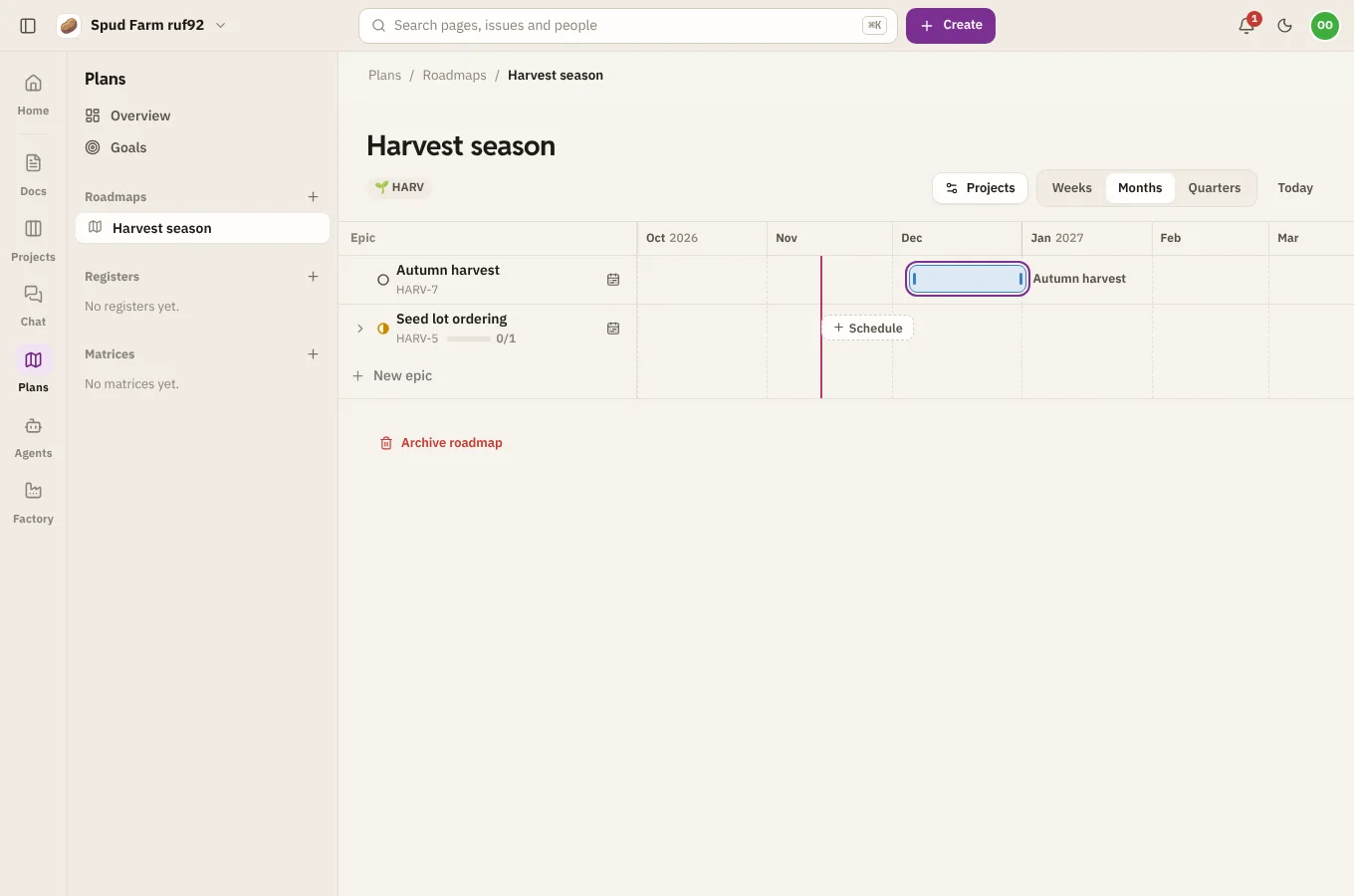
A roadmap puts the epics of your projects on a timeline. Each epic is a bar from its start date to its due date, with its issues underneath.
Make a roadmap
Choose New plan › Roadmap, give it a name (like "2027") and pick the projects whose epics it shows. Change the projects later with Projects at the top of the roadmap.
Schedule epics
- Drag a bar to move the whole epic.
- Drag either end to change when it starts or when it's due.
- An epic with no dates yet sits on the left: choose Schedule to give it some.
- With a bar selected, use the arrow keys to move it a day (Shift moves a week; Alt moves only the end).
The dates are the epic's own start and due dates in Projects, and every change is recorded in the issue's history.
Zoom and today
Switch between weeks, months and quarters at the top. Today brings the timeline back to now.
See what's inside
Choose the arrow next to an epic to show its issues under it, with their status. Open any of them to see the issue.
Add an epic
Choose New epic, pick the project, and type its name. It's made in that project, as if you'd filed it there.
Archive a roadmap
Choose Archive roadmap from its menu. The epics stay in their projects with their dates; only this view goes.