Docs
History and the trash
Nothing in Docs is lost by accident. Every page keeps its history, and deleted pages wait in the trash until someone restores them or deletes them for good.
Page history
SpudSuite keeps a version of a page every ten minutes or so while people edit it. To see them, choose Page history in the page's ⋯ menu.
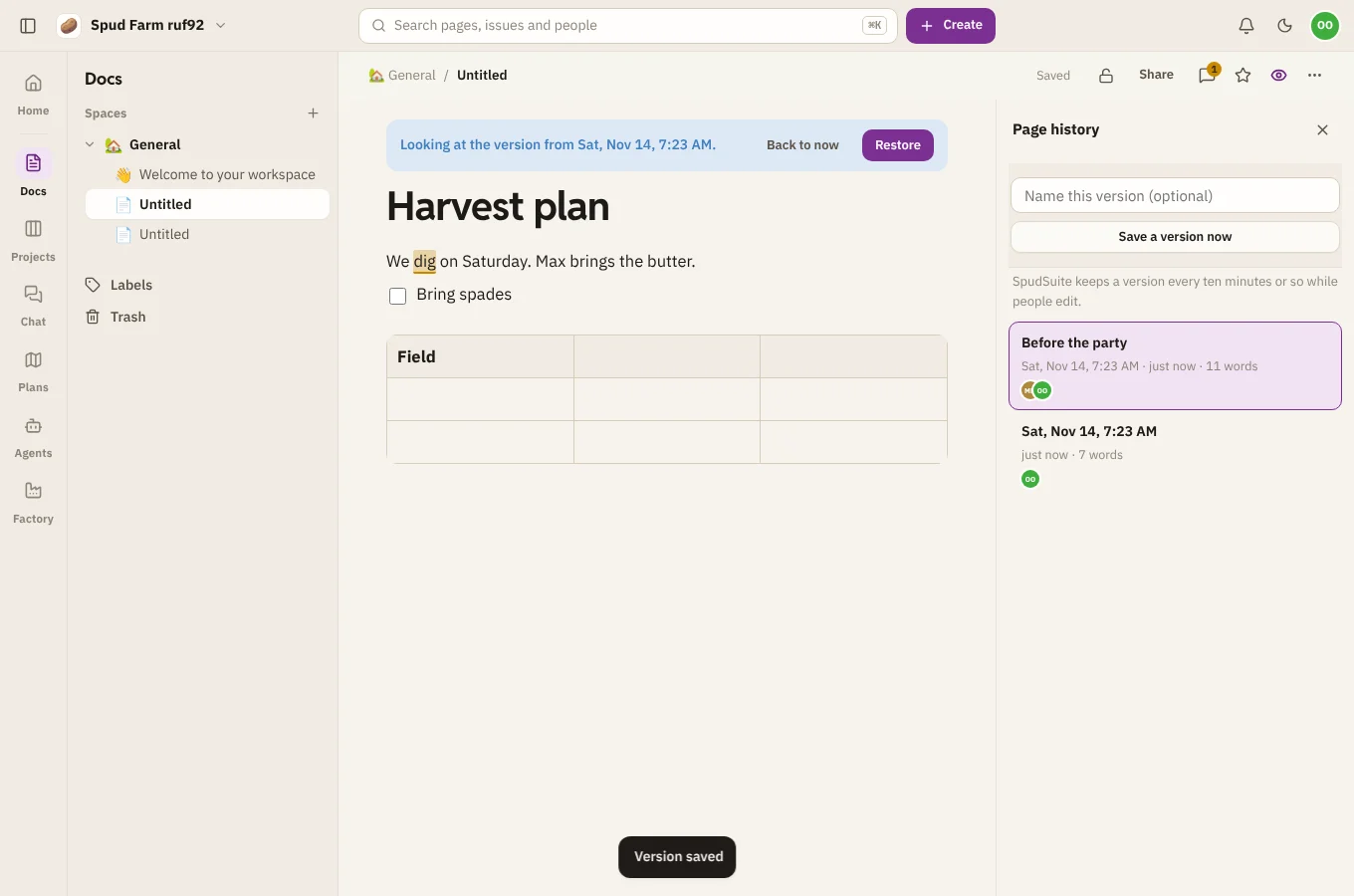
- Choose a version to see the page as it was then.
- Save a version now keeps the page as it is, with a name if you like, such as "Sent to the board".
- Restore puts the page back how it was. What's there now is kept as a version too, so you can change your mind.
- Back to now closes the history.
The trash
Choose Move to trash in a page's ⋯ menu to delete it, with any pages inside it. The notice that appears has an Undo button.
To find a deleted page later, open Trash at the bottom of the Docs sidebar. For each page:
- Restore puts it back where it was.
- Delete forever removes it for good. This can't be undone.
A page in the trash can still be opened, with a note at the top and a Restore button.