Docs
Comments, mentions and watching
Talk about a page right on it: comment on a sentence, mention someone, react, and resolve the thread when it's sorted.
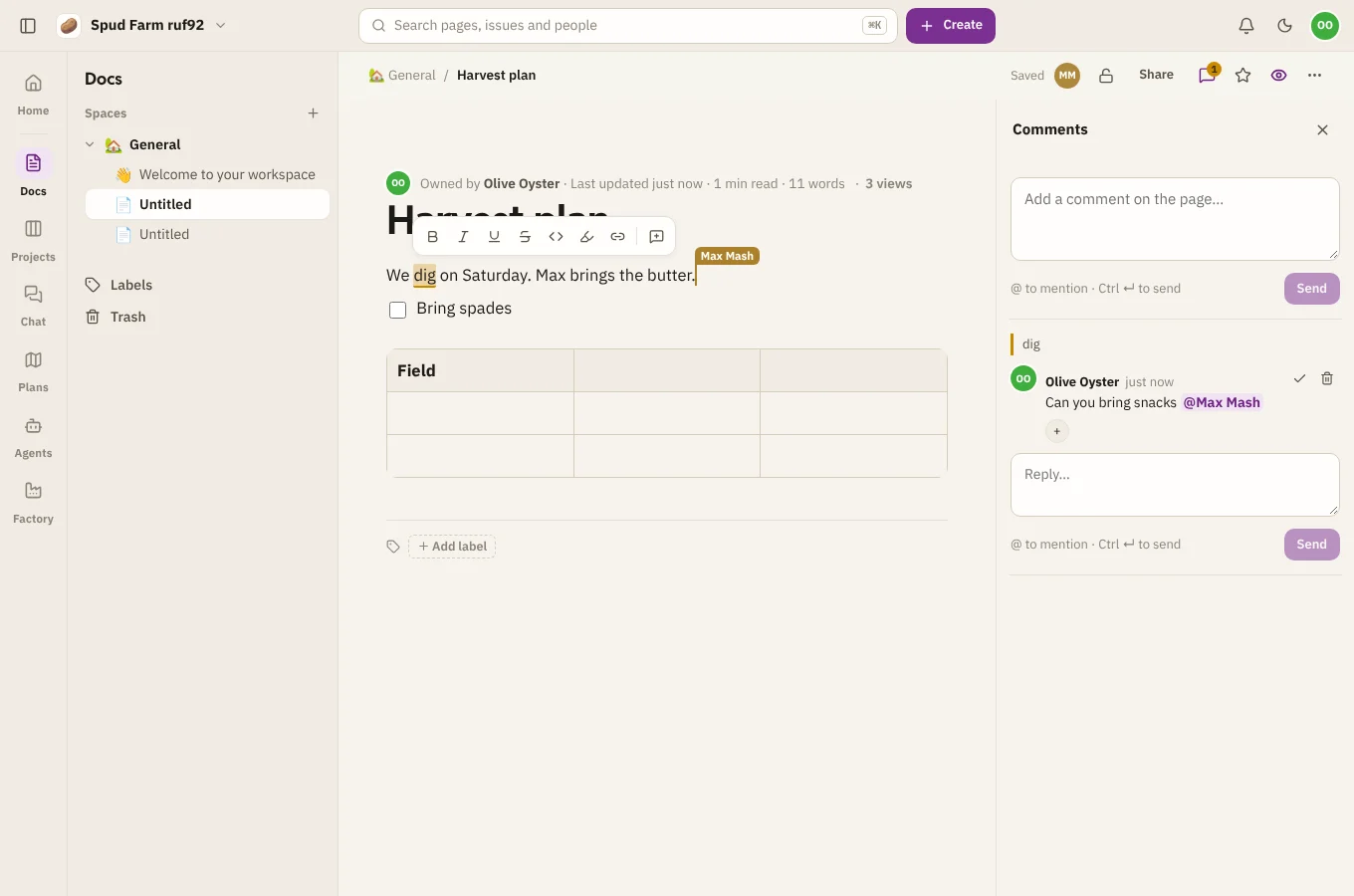
Comment on a page
- On some text: select it, then choose the comment button that appears. The text stays highlighted while the thread is open.
- On the whole page: open Comments at the top of the page and write in the box at the bottom.
Press Ctrl ↵ (⌘ ↵ on a Mac) to send. Type @ to mention someone: they hear about it in their inbox.
Reply, react and resolve
- Reply under any comment to keep the conversation in one thread.
- Add a reaction with the smiley.
- Resolve a thread when it's done. It tidies away, and you can Reopen it later.
- Delete your own comment from its menu. Replies to it stay.
Watch a page or a space
Choose the eye at the top of a page to watch it: you'll hear about new comments and edits (at most once an hour for edits, so you're not buried).
To hear about everything in a space, open the space and choose Watch space. You'll hear about new pages, comments and edits anywhere in it.
Only people who can see a page hear about it, so a restricted page stays quiet for everyone else.