Projects
Board, backlog and list
A project has four views, along the top: Board, Backlog, List and Reports, plus Releases. Press 1, 2, 3 or 4 to switch between board, backlog, list and reports.
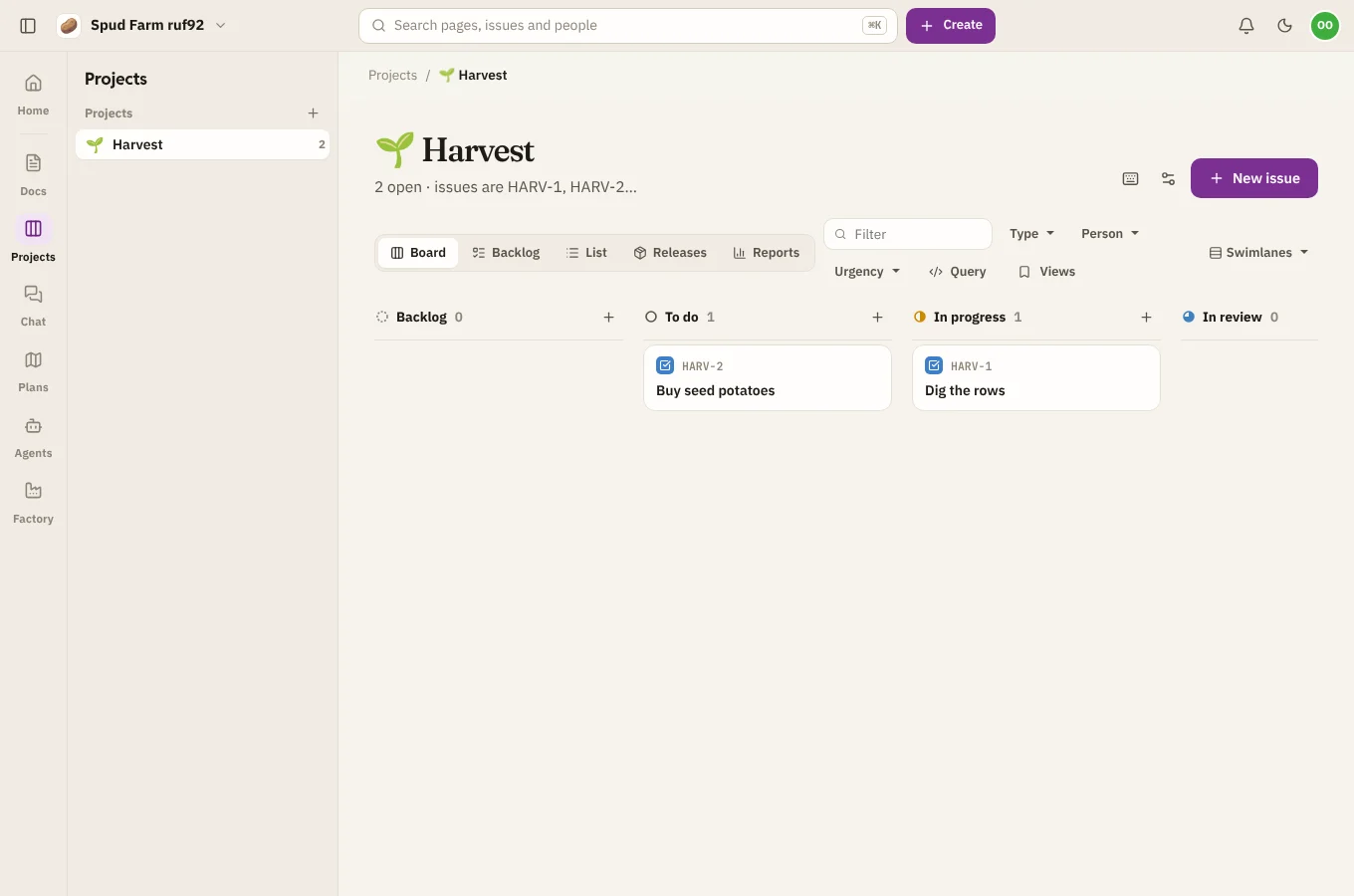
The board
The board has a column for each status in the project's workflow. Drag a card up and down to reorder it, or across to another column to change its status. Choose + at the top of a column to add an issue straight into it.
Swimlanes
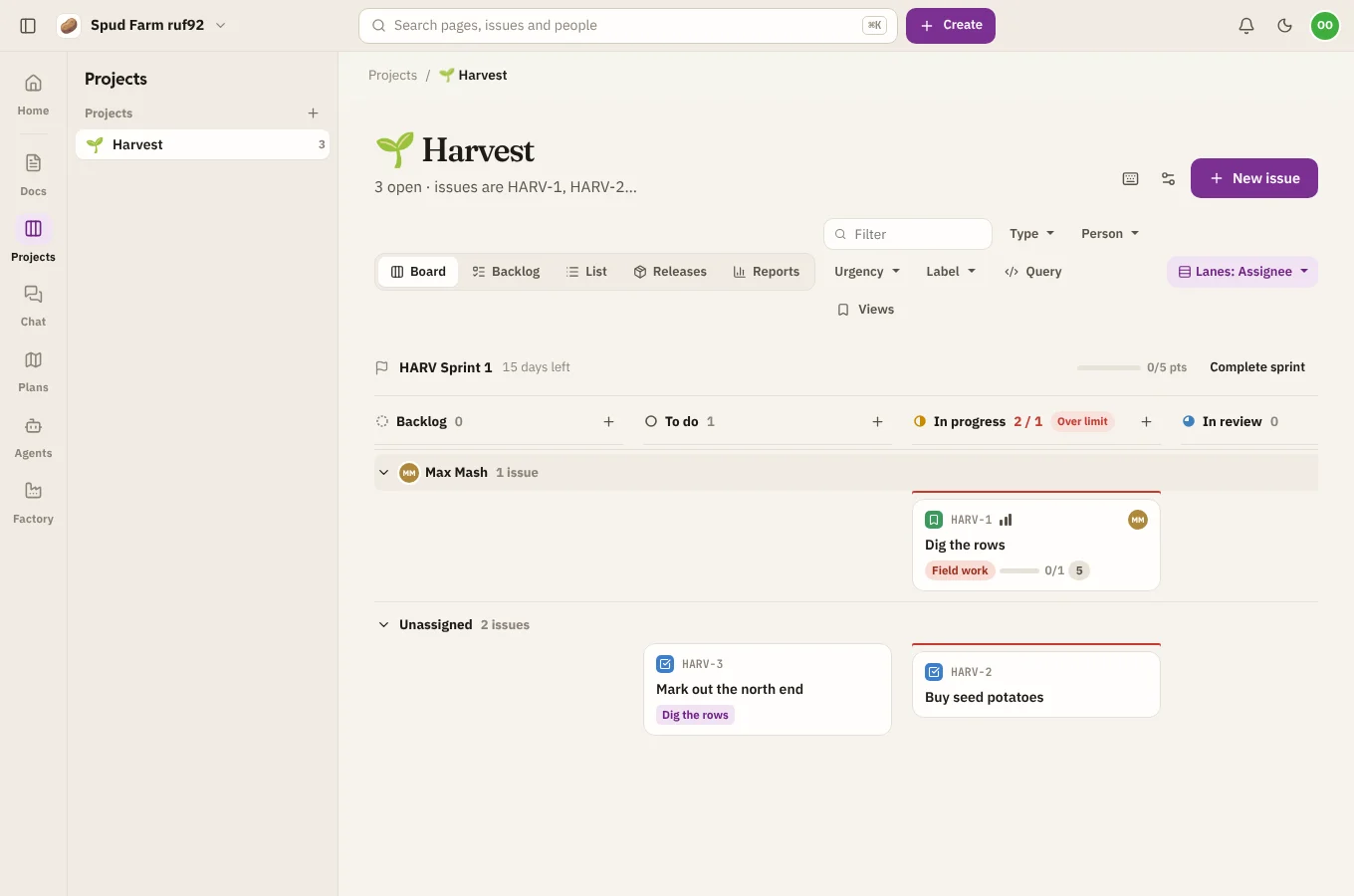
Choose Swimlanes to split the board into rows by assignee, epic or priority. Dropping a card into another lane changes that detail too, so dragging a card into Sam's lane assigns it to Sam.
Column limits
A column can have a work-in-progress limit (set in the project's settings: see Workflow). A column over its limit turns red as a nudge to finish things before starting more. It never stops you moving a card.
The backlog
The backlog lists everything not yet in a sprint, with each sprint above it. Drag issues into a sprint to plan it. See Sprints, estimates and reports.
The list
The list shows every issue as a row, good for scanning and for changing many at once.
Change many issues at once
Tick the box on each row you want (or Select all at the top of a status), then use the bar that appears to set the status, assignee, priority or sprint, or to delete them. Moves the workflow doesn't allow are skipped, and SpudSuite says how many.
Filters and saved views
Use the bar above the board or list to narrow what's shown:
- Filter (press /): words in the title or key.
- Type, Person, Urgency: pick one or more.
- Release, component, label and any custom fields you've added.
- Query: write a query for anything the buttons can't say. See Queries.
Filters live in the address, so you can share a filtered board as a link. To keep one for everyone, choose Views › Save and give it a name. Saved views appear under Views for the whole team.
Keyboard shortcuts
| Key | What it does |
|---|---|
| c | New issue |
| / | Filter issues |
| j / k | Next or previous issue |
| Esc | Close the issue |
| 1 2 3 4 | Board, backlog, list or reports |
| i | Assign the open issue to me |
| m | Comment on the open issue |
| ? | Show these shortcuts |