Docs
Live blocks
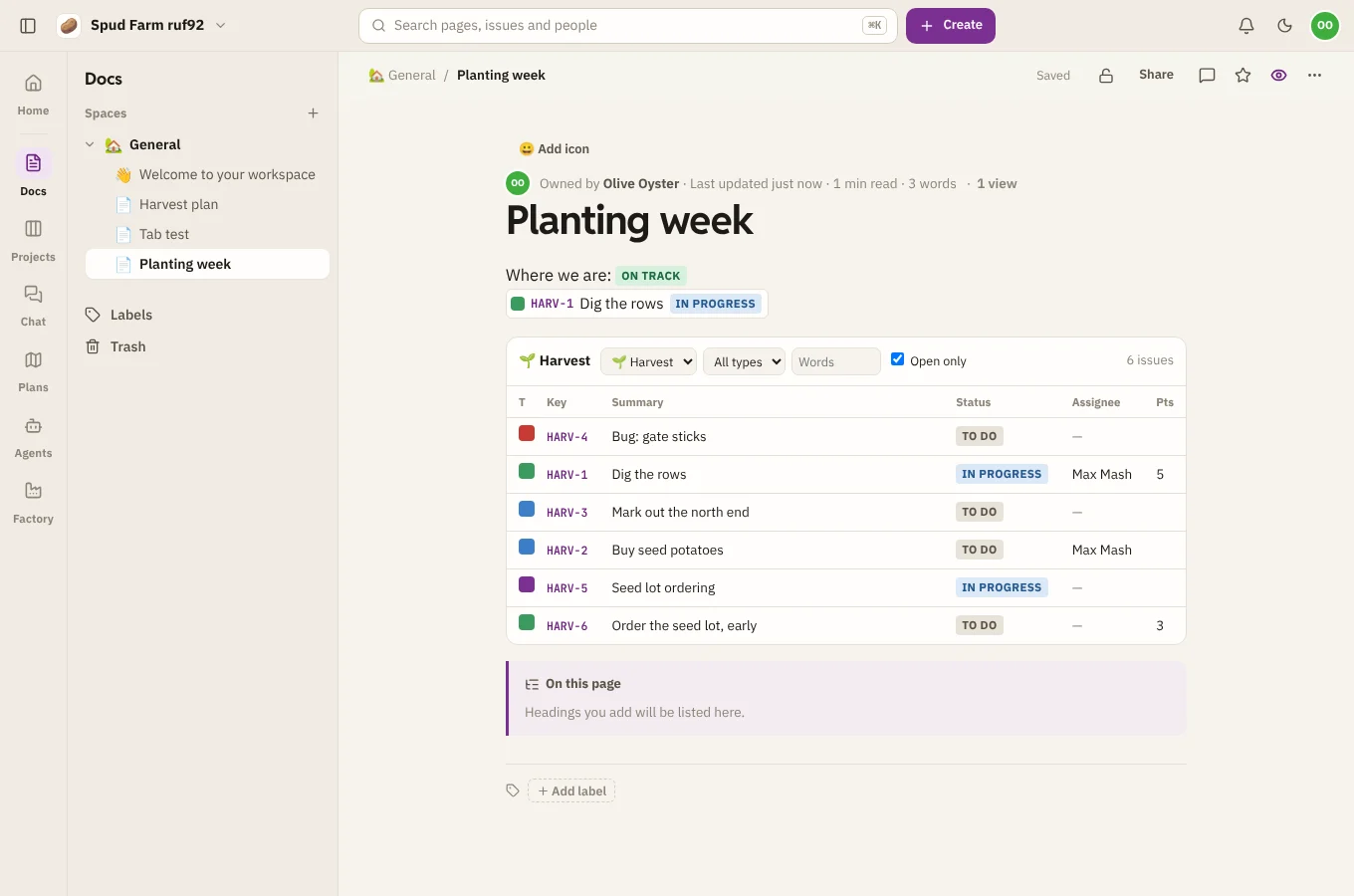
Live blocks show what's in SpudSuite right now, kept up to date on their own: issues from Projects, other pages, and lists of pages by label. Add them from the block menu (/).
Issues from Projects
- Issue from Projects shows one issue by its key, such as
HARV-12, with its status, title and assignee. - Issue list shows a live list from a project. Choose the project, narrow it by type, status, assignee or words, and pick Open only to hide finished work.
Typing an issue key in a page also links to the issue. Anyone who can't see the project sees a note instead of the issues.
Status, dates and mentions
- Status is a coloured label, like DONE, IN REVIEW or BLOCKED. Click it to change its words and colour.
- Date is a day picked from a calendar.
- Mention (or just typing
@) names a teammate and tells them about the page.
Table of contents and expand
- Table of contents lists the page's headings and links to each. It updates as you add headings.
- Expand is a section with a title that folds away, handy for long detail most readers can skip.
Include page
Include page shows another page's content inside this one, read-only and always current. Edit the original and every page that includes it changes too. It's useful for a shared header, a policy that appears in several places, or the same steps in two guides. People who can't see the included page see a note instead.
Page properties and their report
- On each page you want to report on, add a Page properties table: a few rows of facts, such as Owner, Status and Due.
- Give those pages the same label (see Labels and space blogs).
- On a summary page, add a Page properties report and pick that label.
The report gathers the properties of every page with the label into one table, with a column for each property. It's a quick way to keep a list of projects, decisions or how-tos without copying anything.
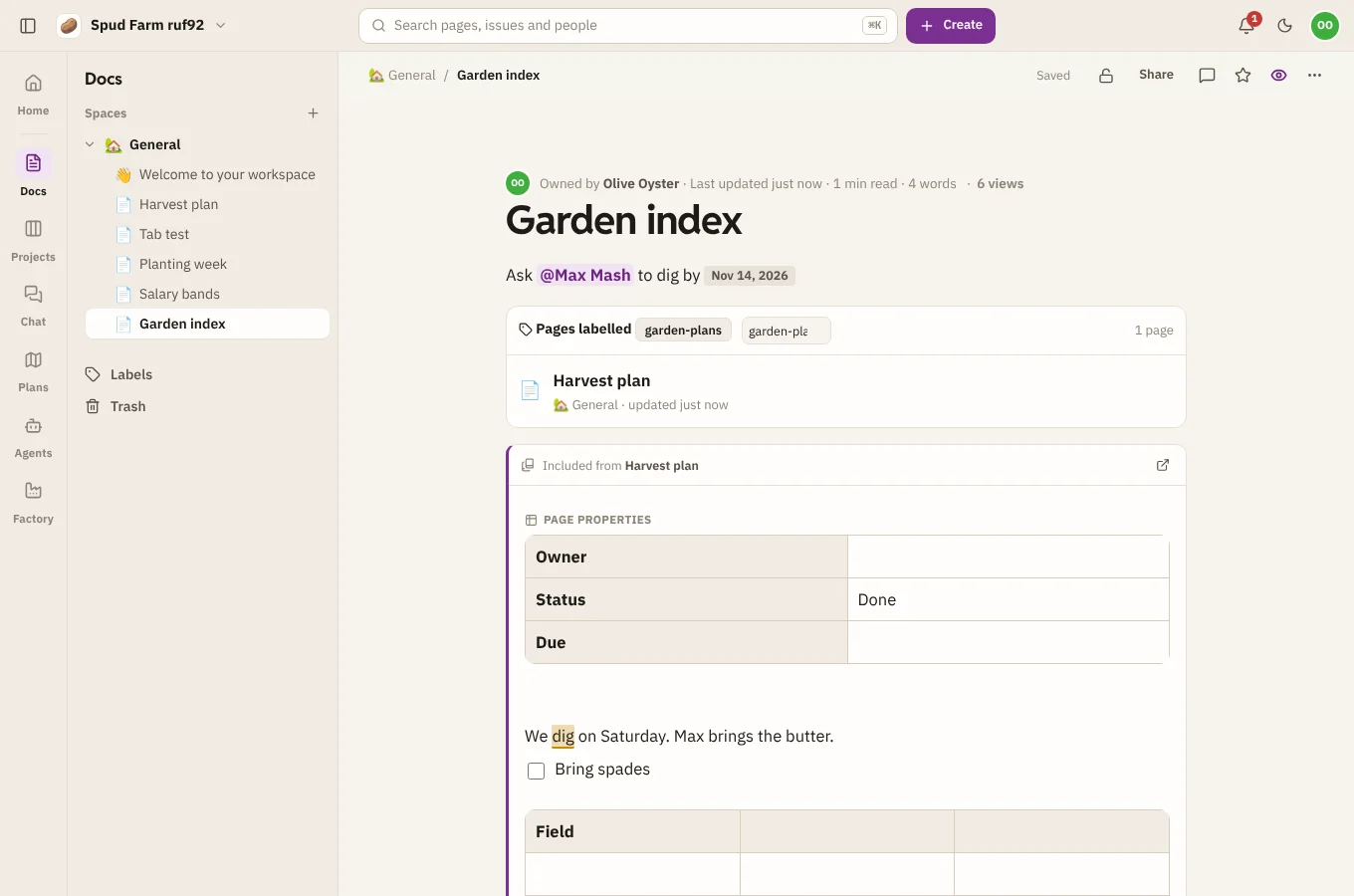
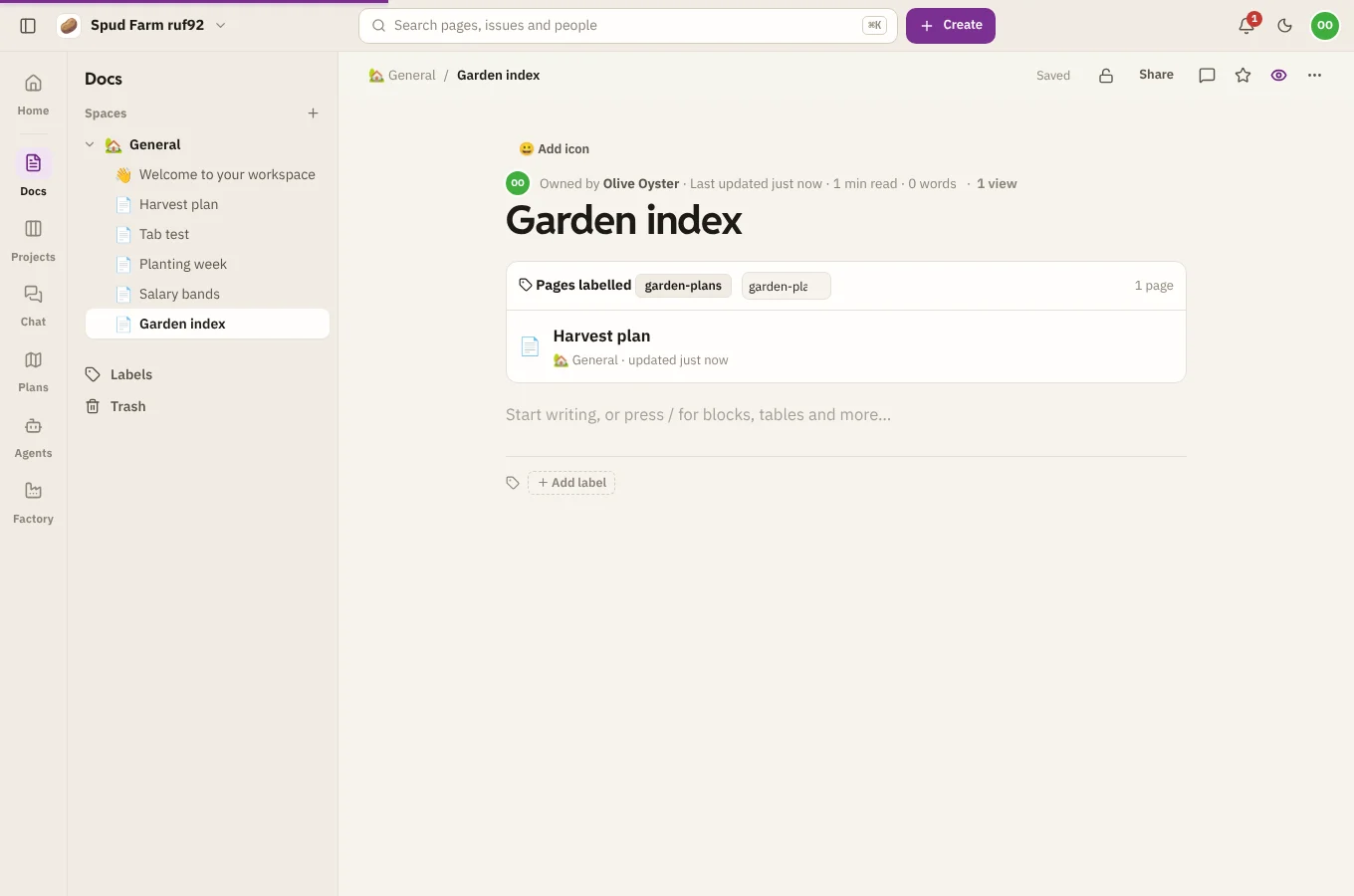
Pages by label
Pages by label lists every page with a label, kept up to date as pages are labelled or unlabelled.