Plans
Risk registers and decision logs
Registers keep the things a team needs to remember in one place: what could go wrong, and what was decided.
Risk registers
Write down what could go wrong, how likely it is and how bad it would be. Then decide what to do about it.
- Choose New plan › Risk register and name it, such as "Launch risks". Optionally pick a project for follow-up issues.
- Add a risk: what could go wrong.
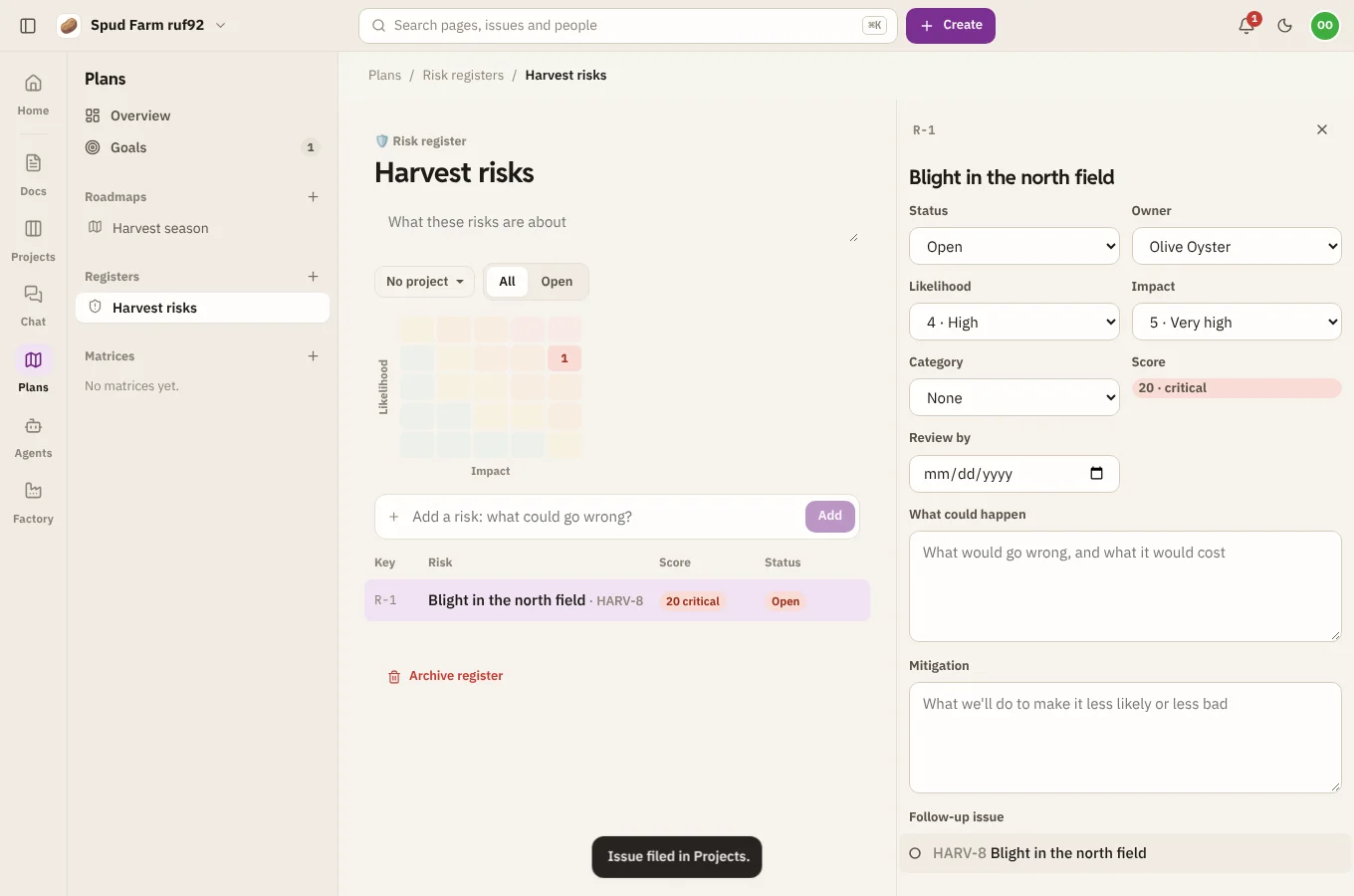
- Open it to fill in the details: likelihood and impact (each from very low to very high), an owner, a category, the mitigation (what you'll do to make it less likely or less bad) and a date to review it by.
A risk's status is open, mitigating, accepted or closed. Each risk is scored likelihood × impact: low under 5, medium under 10, high under 20, and critical from 20 up. The heat map at the top shows open risks by likelihood and impact, so the worst ones stand out in the top corner.
Decision logs
Write down what you decided, the context and the outcome, so nobody has to dig it up again.
- Choose New plan › Decision log.
- Add a decision to make or record.
- Open it to fill in the context (the question and the options), the outcome (what was decided, and why) and when. Its status moves from proposed to decided, or superseded or rejected.
A decision can point at a decision matrix that weighed up the options.
Follow-up issues
Any risk or decision can file a follow-up issue in Projects in one click: open it and choose Create issue. The issue links back to the entry.
Numbering
Entries are numbered within their register, like R-3 for a risk or D-12 for a decision, so you can refer to them in pages and chat.