Projects
Queries and search
When the filter buttons can't say what you mean, write a query. Projects understands a query language like Jira's JQL, so if you've used Jira, you already know it.
Where to use them
- In a project: choose Query on the filter bar. The board, backlog or list shows what matches, and Views › Save keeps the query for the team.
- Across every project: open Search issues from the command palette (Ctrl K, then "Search issues with a query"). It searches every project in the workspace and shows up to 500 results.
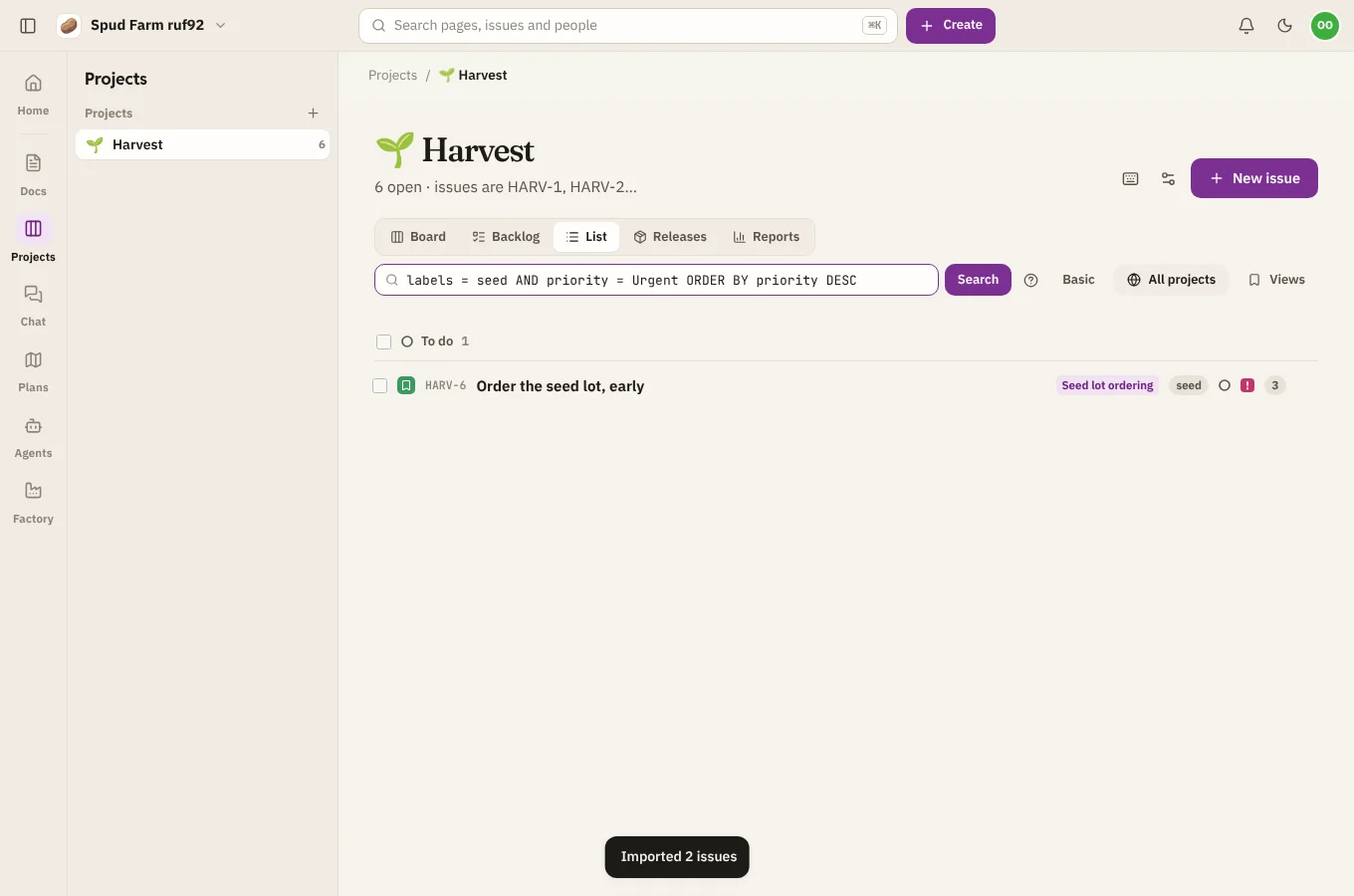
Writing a query
A query is one or more conditions joined with AND and OR:
type = Bug AND priority = Urgent AND status != Done
assignee = currentUser() AND sprint in openSprints()
text ~ "potato" ORDER BY created DESC
due < 7d AND resolution = Unresolved
| You can use | For example |
|---|---|
= and != |
status = "In review" |
>, <, >=, <= |
points >= 5, created > -14d |
~ (contains words) |
summary ~ "login" |
IN and NOT IN |
priority IN (Urgent, High) |
IS EMPTY, IS NOT EMPTY |
assignee IS EMPTY |
AND, OR, NOT and brackets |
(type = Bug OR type = Story) AND NOT labels = later |
ORDER BY |
ORDER BY priority DESC, created |
Fields include project, key, type, status, priority, assignee, reporter, watcher, labels, sprint, release, component, parent (or epic), points, start, due, created, updated, resolved, resolution, summary, description, comment and text (title, description, comments and labels together), plus your project's custom fields by their name (put names with spaces in quotes).
Useful functions: currentUser(), openSprints(), startOfWeek(), startOfMonth(), and relative dates like -7d (seven days ago) or 2w (in two weeks).
A few things work the way Jira people expect: != leaves out issues where the field is empty, and ORDER BY priority DESC puts the most urgent first.
When a query is wrong
If SpudSuite can't read a query, it says what it expected and where, right under the box, such as Expected a value after "=", but found the end. Nothing changes until the query reads.