Projects
Workflow, fields and templates
Each project can be shaped to how the team works: its own statuses and rules, column limits, extra fields and issue templates. Open the project and choose Project settings (the sliders icon at the top).
Statuses
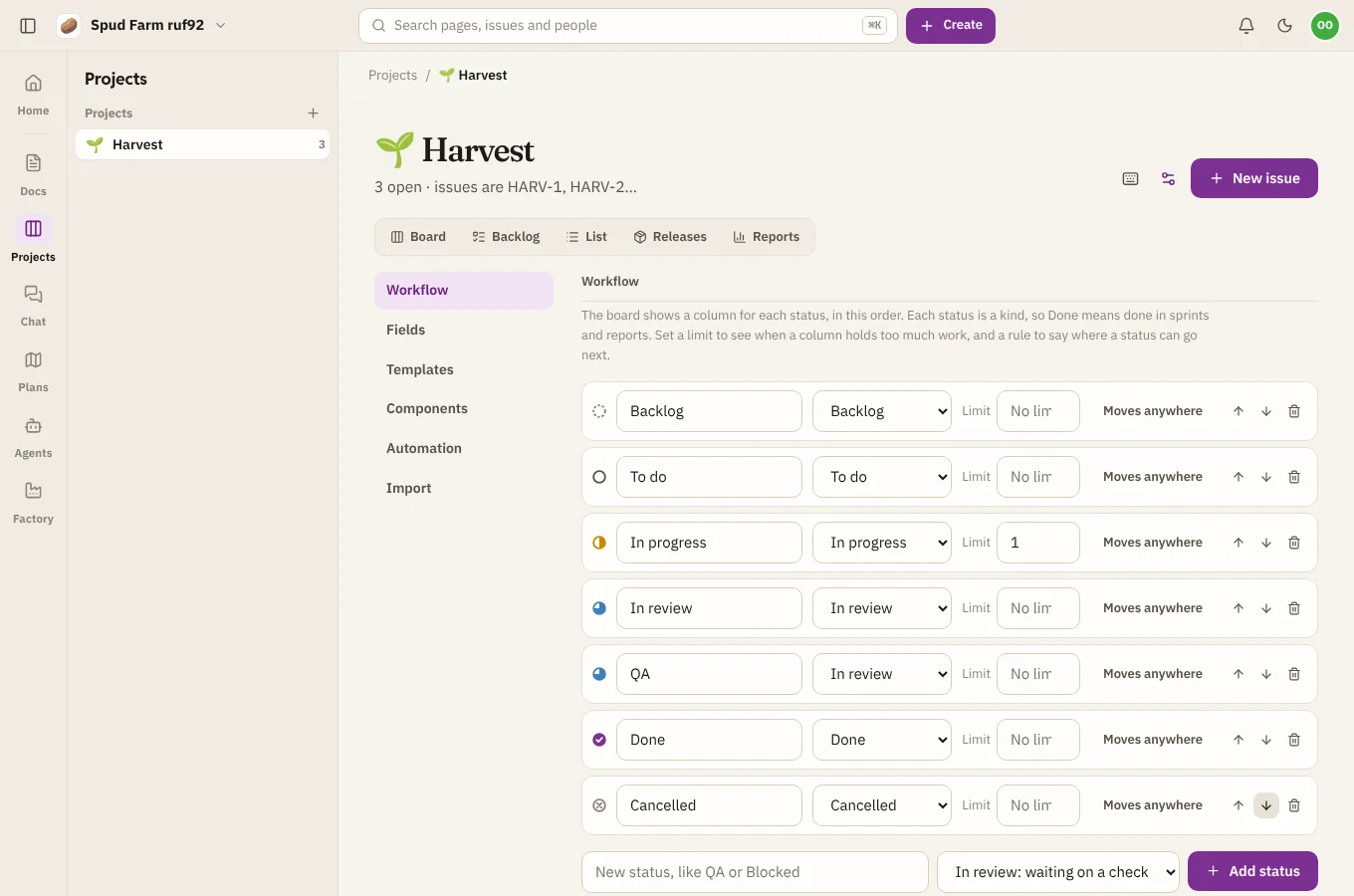
Every project starts with six statuses: Backlog, To do, In progress, In review, Done and Cancelled. Under Workflow you can:
- Rename any of them, such as "In review" to "QA".
- Add up to 20, such as "Blocked" or "Ready to ship". Each new status has a kind that says what it means: not planned yet, ready to start, being worked on, waiting on a check, finished, or won't be done. Reports, sprints and epic progress use the kind, so a custom "Shipped" status counts as done.
- Reorder them with the arrows. The board's columns follow.
- Remove one. If issues are in it, pick where they move. History keeps the old name.
A project always keeps at least one open status and one done or cancelled status.
Rules for moving
By default an issue can move from any status to any other. To limit that, choose Moves anywhere next to a status and tick where it can go next. For example, only let "In review" move to "Done" or back to "In progress". A move the rules don't allow is refused on the board and skipped in bulk edits.
Column limits
Set a Limit next to a status to give its board column a work-in-progress limit. Over the limit, the column turns red. It's a warning, not a wall.
Custom fields
Under Fields, add the details your team needs that Projects doesn't have built in:
| Kind | Holds |
|---|---|
| Text | A line of words |
| Number | A number, such as a cost |
| Date | A day |
| Pick one, Pick several | Choices you list |
| Person | A teammate |
| Link | A web address |
Custom fields show in each issue's details and its history, can be filtered on (and used in queries by name), and can be shown on board cards if you choose.
Templates
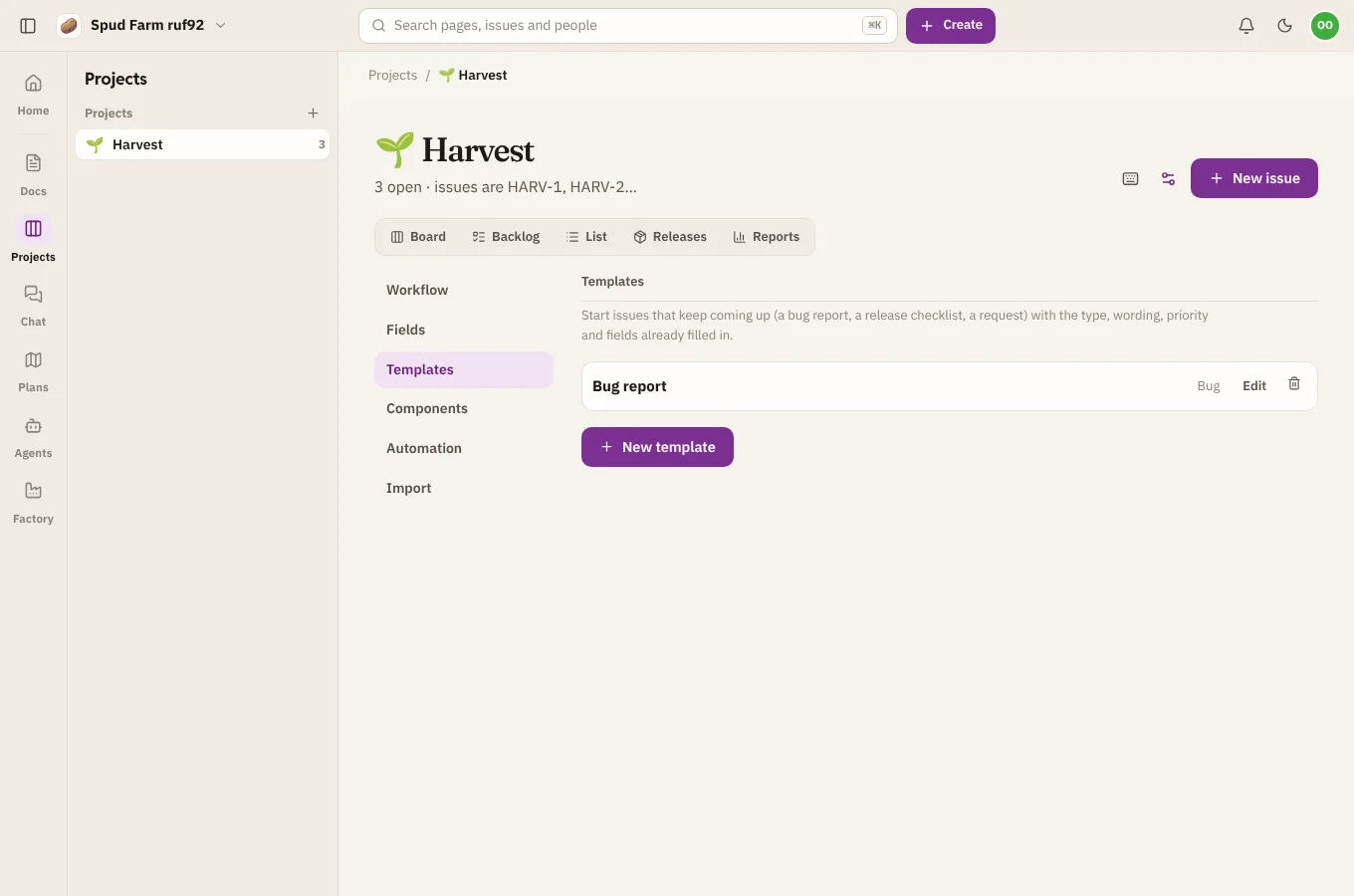
Under Templates, make starting points for common issues, such as "Bug report" or "New starter". A template sets the type, the start of the title, the description, priority, labels and field values. Pick one when you file an issue.
Components and automation
Project settings also hold Components (see Releases, components and time), Automation (see Automation rules) and Import (see Importing from Jira).